SHOW NOTES: In our first segment, Lisa Louise Cooke and her guest Jenny Ashcraft from Newspapers.com discuss how to use newspapers to fill in the missing stories in your ancestors’ lives. Jenny shares strategic tips on finding unique information many researchers miss.
In the second segment of this episode, Shannon Combs-Bennett, the author of the article A Genealogist’s Guide to Finding and Using Historical Obituaries published in Family Tree Magazine, covers everything you need to know about obituaries including:
the important backstory on obituaries,
what obituaries can tell you about your ancestors,
where you can find obituaries, both online and offline,
and strategies you can use when obituaries aren’t where you expected to find them.
Listen to the Podcast Episode
Click the media player below to listen now (AUDIO ONLY):
Show Notes and Videos
Watch the video version and read the show notes articles for these interviews:
Click to learn more about Genealogy Gems Premium Membership.
Genealogy Gems Podcast App
Don’t miss the Bonus audio for this episode. In the app, tap the gift box icon just under the media player. Get the app here.
Get the Free Genealogy Gems Newsletter
The Genealogy Gems email newsletter is the best way to stay informed about what’s available with your Premium eLearning Membership. Sign up today here.
VIDEO & SHOW NOTES: Video #5 of our 25 Websites for Genealogy YouTube Playlist. In this video, my guest presenter Gena Philibert-Ortega covers Library and Archive websites that are must-haves for family history research. You’ll find plenty of genealogy gems waiting for free at websites #23 through 25 in our list.
Websites 23 through 25 of our 25 Websites for Genealogy
Some of these websites will be new to you, and others are going to be very familiar to you. In talking about the familiar websites, I want to get you thinking about them differently, explain a little bit more about what you can do at these websites, and how to get the most out of them.
In this series of 25 Websites for Genealogy, we’re going to be looking at websites in different categories. Our third category is Library and Archive websites (#23 through 25).
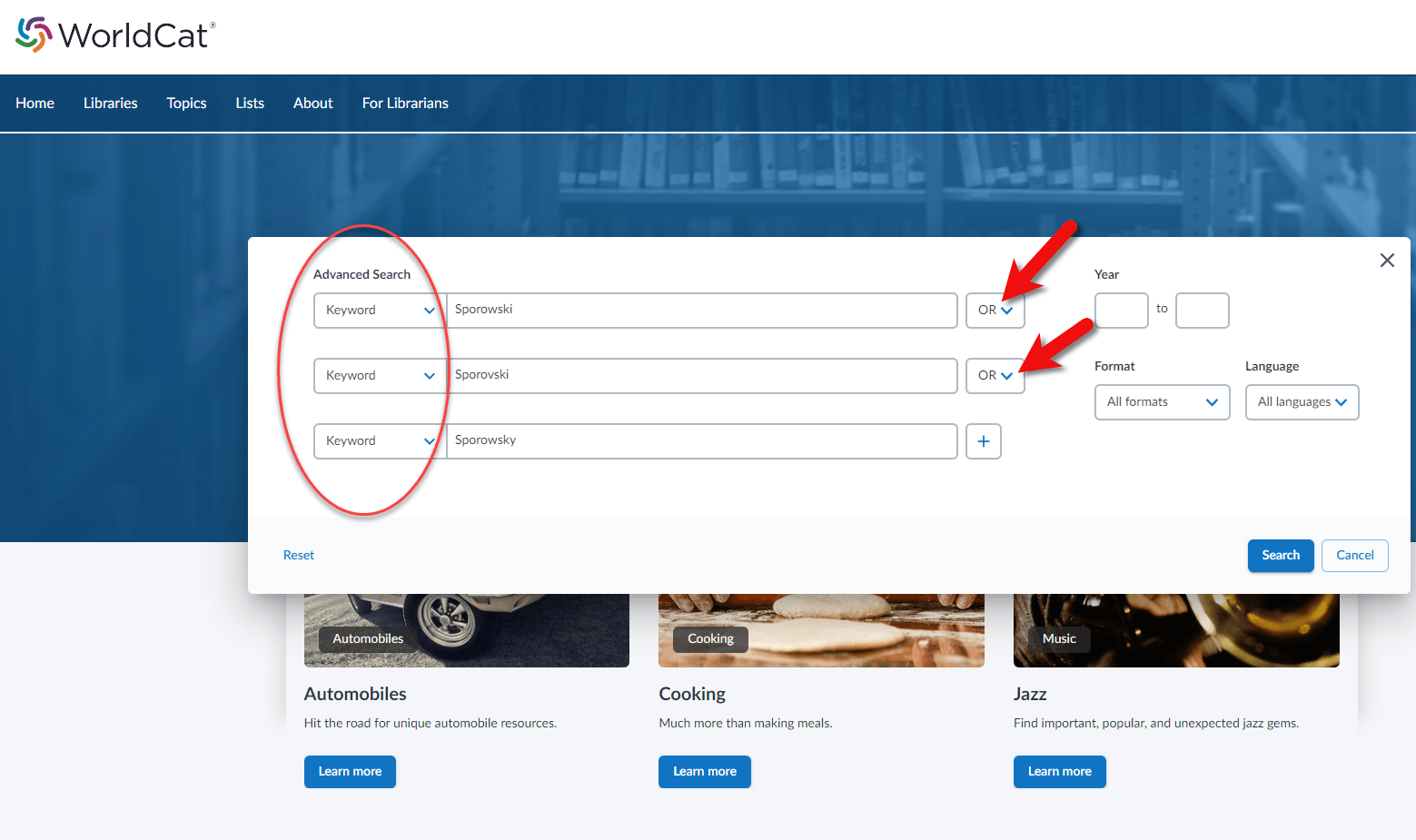
WorldCat.org is a free website that provides access through its card catalog to millions of materials from libraries around the world. You’ll find items such as:
United States Civil War and other military records
Family Bibles, church histories, and records
Publications such as directories, handbooks, and magazines
Birth, marriage, death, wills, and obituary indexes
Microfilmed genealogy and local history collections
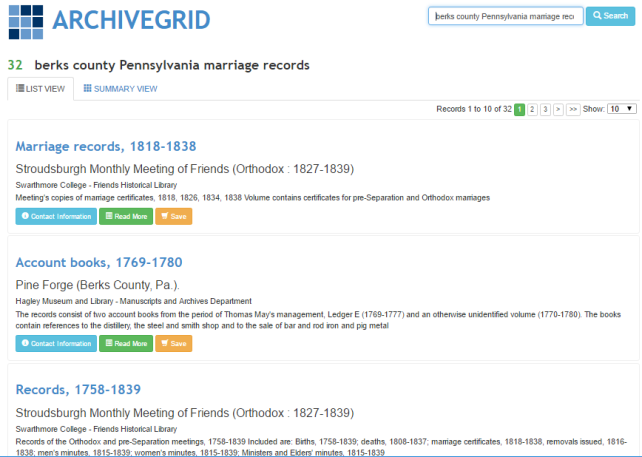
This lesser-known free website can help you locate old documents and manuscript items available in over 1,500 different archival collections. ArchiveGrid currently includes close to 5 million archival item entries!
ArchiveGrid is a companion website to WorldCat, the free online catalog of millions of library items from thousands of libraries. The difference is that ArchiveGrid focuses not on published items but (generally-speaking) on unpublished ones.
The National Archives website and online catalog can be a bit mystifying. If you’ve ever tried to search it and wound up frustrated, you’re not alone. This is often the case because the nature of the archives and the search function of the online Catalog are not genealogically focused. Armed with an understanding of how and why it is set up the way it is, and the know-how to search, refine, and download documents, you’ll be ready to add it to your genealogy toolkit.
VIDEO & SHOW NOTES: Learn how Archives.com can help you find your family history. We cover getting started, finding records, building your family tree and answer the question as to whether you should use it if you already use another genealogy website.
Why Use Archives.com?
If you’re new to genealogy, returning after taking a break, or just need a new place to search, Archives.com has a lot to offer. I’m going to show you how to get started with this affordable website packed with genealogical records.
The folks at Archives.com asked me to make a video sharing what I think about their website, so full disclosure, they are sponsoring this video. However, they have no clue what I’m going to say. For the past 17 years that I’ve been podcasting and just shy of that I’ve been publishing videos at the Genealogy Gems YouTube channel, I’ve always given you my honest opinion and shared my best strategies. So let’s get started and do that right now as I answer some of the most common questions about Archives.com.
What Makes Archives.com Unique?
Like many other genealogy websites, it has billions of genealogy records. However, the subscription is a fraction of the cost of other big name websites. That makes it ideal for beginners, or if you just need a new place to dig for records in addition to your other subscriptions. Start with a free 7-day trial to find out what Archives can do for your genealogy research.
What Does Archives.com Offer?
The main focus of the website is searching for genealogical records. And they have billions of the most popular.
Archive.com is owned by Ancestry, and according to the folks at Archives there is some overlap, just like there would be with other genealogy records sites. But Archives does include records you won’t find on Ancestry, and there are records on Ancestry that are not on Archives. Since Archives is much less expensive, it’s worth a look.
What Record Collections are Included?
The easiest way to find out if Archives.com has the record collections you want is to go to the Collections page at https://www.archives.com/collections or click Collections in the menu.
They currently have 650 record collections that include billions of individual records.
Use the filters on the Collections page to browse by Keywords, Record Type or Country. Click the down arrow on the Record Type filter to get a quick overview of the types of records the site focuses on.
In addition to some of the traditional types of records like birth, marriage, death, census and immigration, you’ll find some special collections such as Memory Pages, Surname Histories, and CityDirectories.
If you’re trying to find ancestors in the “old country”, check the Countries filter list before you start searching. No point in looking for records for a country that they don’t have.
How to Search for Records at Archives.com
In genealogy, we start with ourselves and work backwards. Your grandparents are a great place to start searching. When searching for records, I recommend that you start with a particular ancestor in mind and fill in as many details as you can about them before you move further back in your family tree.
There are three different ways to start searching:
Use the search fields at the top of the home page.
Click the Advanced Search link to go to a more robust search page.
Or click SEARCH in the menu which also takes you to the Advanced Search page.
I recommend going straight to the Advanced Search page. This way you can cut out the results that don’t match and zero in on the time frame and also the type of records you want to find.
In searching for genealogy records it’s important to balance searching narrowly enough to get to what you want while searching broadly enough not to miss something.
When searching for less common names, try just searching on the name without clicking the Exact match box. This will keep your results fairly broad and provide an opportunity to see how many and what kind of results you get. By not narrowing the scope of the search, you’re less likely to miss a record that has a slight name deviation.
Take a moment to quickly scroll down and see how many are close matches. Chances are it’s just a fraction of the total results. In my case, there were only about 9 close results out of over 40,000.
If the name you are searching is fairly common, then adding a location and life events with dates can help differentiate people and results.
A Beginner’s Basic Guide
Archives Record filters are in the general order that you need for genealogy:
Gather Death, Marriage and Birth records first.
Fill in with Census Records throughout your ancestors’ lifetime.
MilitaryService and Immigration Records are also really important milestones to find.
Fill in even more like City and Telephone Directories which were often published yearly.
Check out Family Trees that might include your ancestor, and Media records that can further fill in their story.
Can You Build a Family Tree?
Yes! Archives.com includes a family tree builder users can attach their records to and a discovery engine that helps users find new records about their ancestors. Start with your parents or grandparents.
You can search other people’s family trees from the Advanced Search page. You can also create your own tree. Archive’s provides a nice, simple user interface to build out a family tree online.
I just want to say that in my opinion, the very best place to build your family tree is in genealogy database software that you use on your own computer. That way you always have control of it no matter how long you have a subscription to any website. But if you’re just getting started, this is a great way to get your feet wet
If you’ve already created your tree on your own computer, then you can export it as a GEDCOM. That is the universal file type for genealogy family trees specifically. You can then upload that file to Archives.com and work with it from there.
My online family trees are not what I call my ‘master family tree’. That is on my computer. So why do I create an online tree? The reason is simple. It’s a great way to generate Discoveries and connections. I use it to generate clues and record hints.
Archives.com makes it easy to create a family tree. Start with yourself, add your parents, and what you know about your grandparents, and you are off to the races! Or, as I mentioned before, you can upload an existing GEDCOM file.
As soon as you set up your tree on Archives and start looking at records, you will start generating Discoveries automatically. It’s a way to speed up the research process and make genealogy easier than it’s ever been before.
VIDEO & SHOW NOTES: Video #4 of our 25 Websites for Genealogy Playlist. In this video, my guest presenter Gena Philibert-Ortega covers digital collection websites that are must-haves for family history research. You’ll find plenty of genealogy gems waiting for free at websites #18 through 22.
Websites 18 through 22 of our 25 Websites for Genealogy
Some of these websites will be new to you, and others are going to be very familiar to you. In talking about the familiar websites, I want to get you thinking about them differently, explain a little bit more about what you can do at these websites, and how to get the most out of them.
In this series of 25 Websites for Genealogy, we’re going to be looking at websites in different categories. Our third category is Digital Collection websites (#18 through 22).
At the DPLA you can search for public domain research materials that will benefit your genealogy research. It offers a searchable access to millions of items including photographs, manuscripts, books, sounds, moving images, and more from libraries, archives, and museums around the United States.
According to Lisa Louise Cooke, Google Books is the tool you should use every day for genealogy. It puts 25 million digitized and searchable free books at your fingertips.
Learn much more about how to get the most out of Google Books with these videos by Lisa Louise Cooke:
If you’re looking for new information about your family history, an important website to add to your research list is the Internet Archive. It’s a free website that attempts to archive the web, and that includes a vast array of genealogy materials!
Founded in 2008, the non-profit HathiTrust provides access to 18+ million digitized items in the HathiTrust Digital Library. Reading access varies depending on the item and whether you belong to a participating organization, but it’s definitely worth a look.
VIDEO & SHOW NOTES: Video #3 of our 25 Websites for Genealogy Playlist. In this video, my guest presenter Gena Philibert-Ortega covers digitzed newspaper websites that are must-haves for family history research. Even though some sound specific to a certain area, don’t be fooled. They have resources available for all genealogists including even more than newspapers.
Websites 13 through 17 of our 25 Websites for Genealogy
Some of these websites will be new to you, and others are going to be very familiar to you. In talking about the familiar websites, I want to get you thinking about them differently, explain a little bit more about what you can do at these websites, and how to get the most out of them.
In this series of 25 Websites for Genealogy, we’re going to be looking at websites in different categories. Our third category is the newspaper websites (#13 through 17).
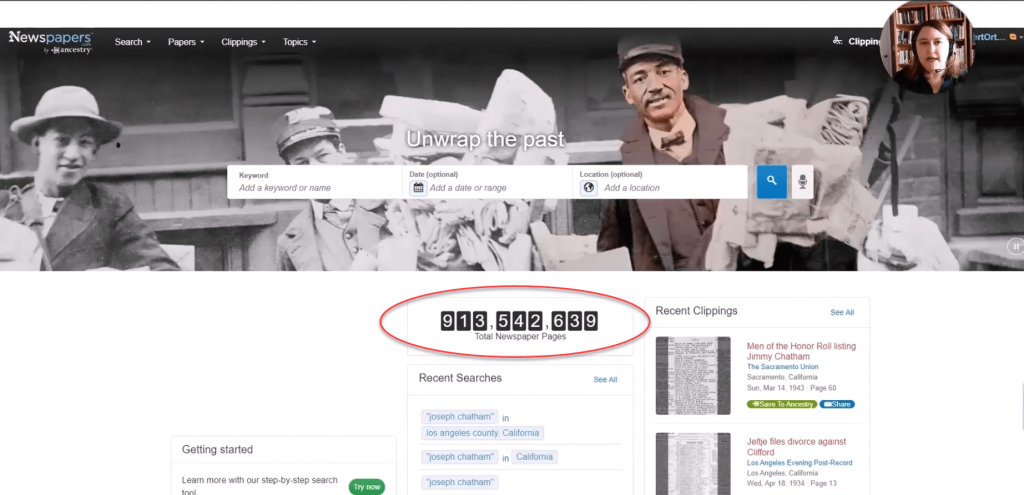
Newspapers.com is a subscription service owned by Ancestry.com. The two websites are connected so that you can attach your Newspapers.com finds to your Ancestry tree. Newspapers.com includes newspapers found at Ancestry but all newly newspaper pages are added to Newspapers.com. They also offer a Publisher’s Extra subscription that expands your access to additional newspaper records.
GenealogyBank.com is a subscription service offering one of the largest collections of digitized U.S. newspapers, dating back to 1690. You’ll also find additional genealogy resources such as the Social Security Death Index, obituaries, government publications, and historical books.
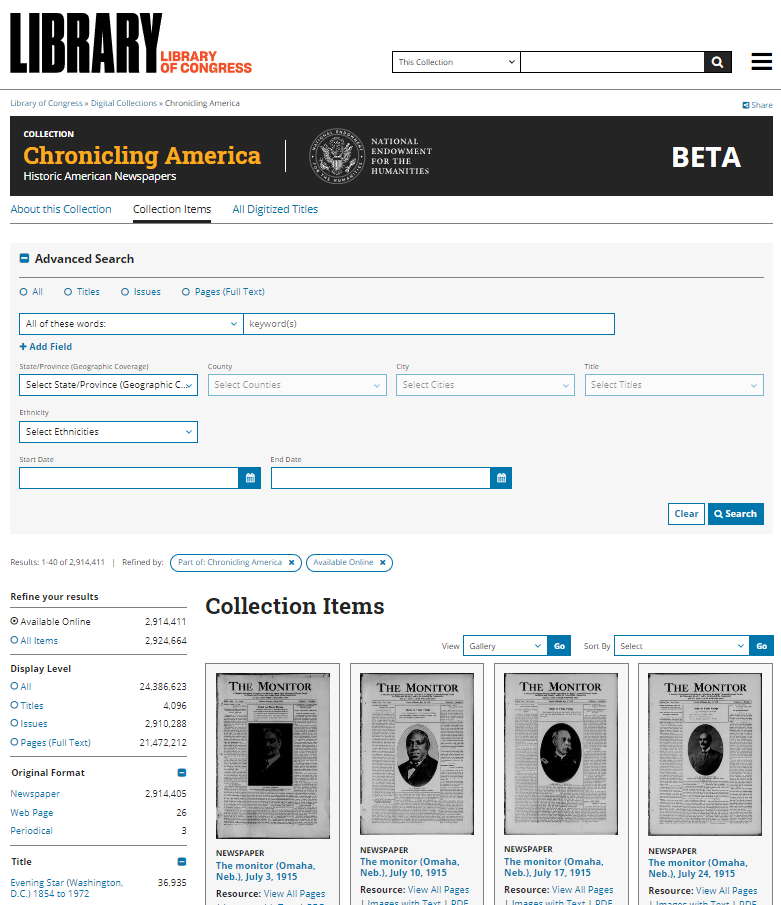
The Library of Congress offers this huge free collection of digitized newspapers from across the United States. The papers range from 1756 to 1963. Expand your search with the U.S. Newspaper Directory 1690 to present.
Fultonhistory.com features over 1,000 New York newspapers, plus newspapers from other states and Canada. It’s a vast free collection curated by one man!